
Application list and usage
Application Usage Information Base
MS Teams
LeadSquared
CloudTalk / Turnover
Outlook
Ariza

1. MS Teams:
Primary communication app used for:
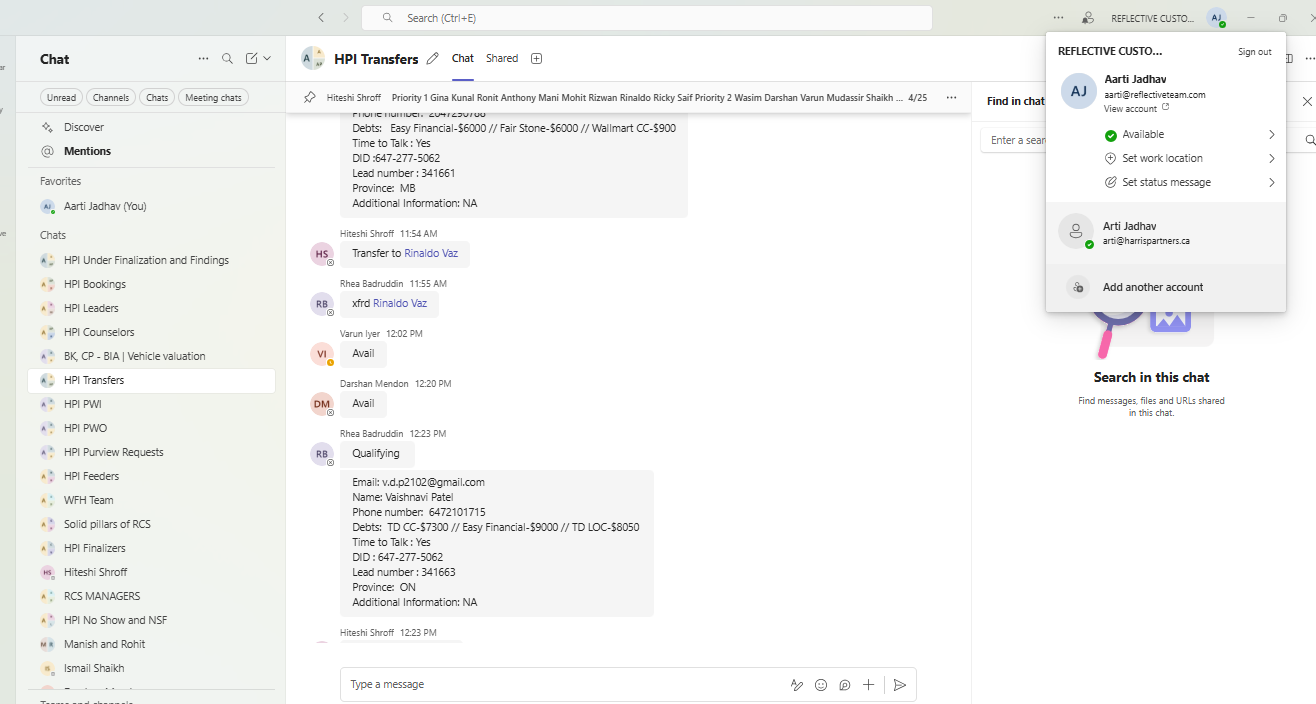
Team communications (RCS and Team Canada)
Daily updates
Call transfers and availability checks (manual, due to no WFM tool)
Knowledge sharing
Interdepartmental communication for file changes and escalations
Important Actions Required:
Keep Teams status updated (Available/Busy/BRB).
Use group chats and channels actively for daily instructions.
Ensure manual availability checks are prompt for quick transfers.
Used By:
Entire RCS and Canada Team (Feeders, Sales, Supervisors)
Link: MS Teams – Login
Specific Department: RCS Team Mumbai, HPI Team Canada
Notes:Treat Teams status updates seriously, as it acts like our “manual WFM tool”.
2. LeadSquared (CRM)
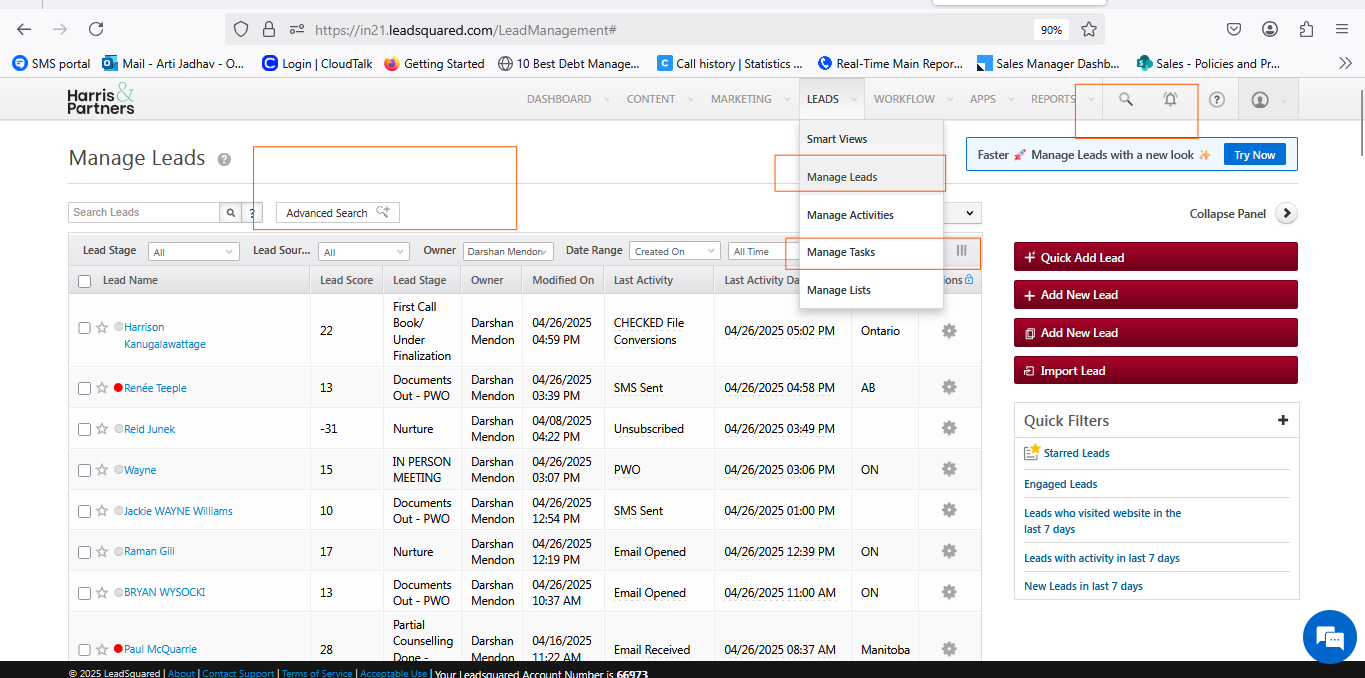
Usage: CRM platform used for:
Capturing and updating lead data
Tracking communication with clients
Managing daily lead and task activity
Prioritizing client follow-ups through filters and advanced search options
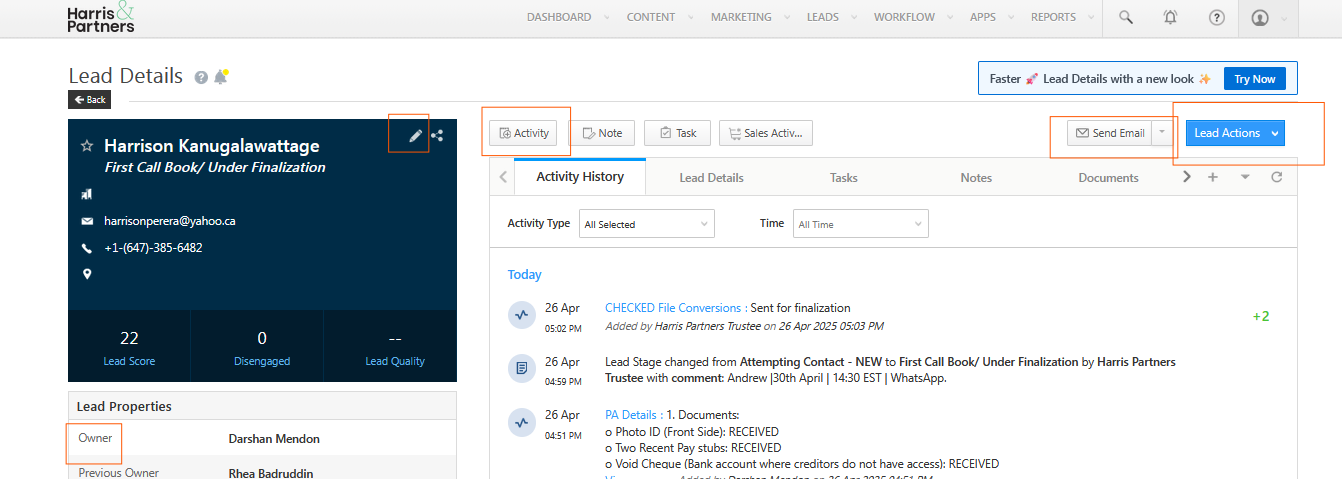
Important Actions Required:
Regularly update Lead Stage based on client interaction.
Log all client communications under Lead Activity.
Keep assigned tasks updated and closed once completed.
Use Search Icon, Manage Leads, Manage Tasks, Filters, and Advanced Search daily.
Used By:
Primarily Feeders and Sales Teams
Link: LeadSquared – Login
Specific Department: RCS Feeder Team & RCS Sales Team
Lead Stages Overview:
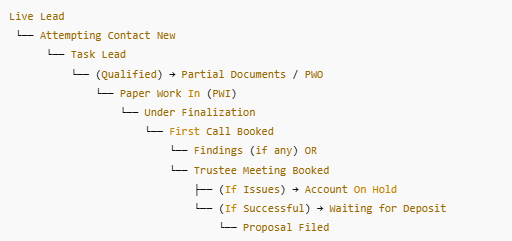
Live Lead: Newly captured lead (system-generated; auto-emails triggered).
Attempting Contact New: Feeder attempts to contact and qualify; 5-day follow-up process based on lead created time, email opened time, or best time to call.
Task Leads: Leads requiring call at client’s requested timing or scheduled follow-ups.
If no contact after multiple attempts → move back to “Attempting Contact New”.
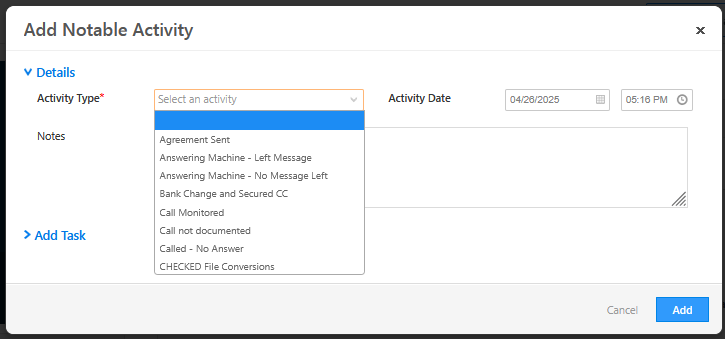
Lead Activity: Document updates/actions (choose correct action type).
Lead Owner: Person responsible for the lead. Ownership can change only during call transfer or attrition/absence and is usually managed by Feeders.
Task Setup and Management:Task Setup / add follow-up:
Create tasks based on client requests or based on lead captured time (as per process and lead stage requirements).
Task Priority Selection:
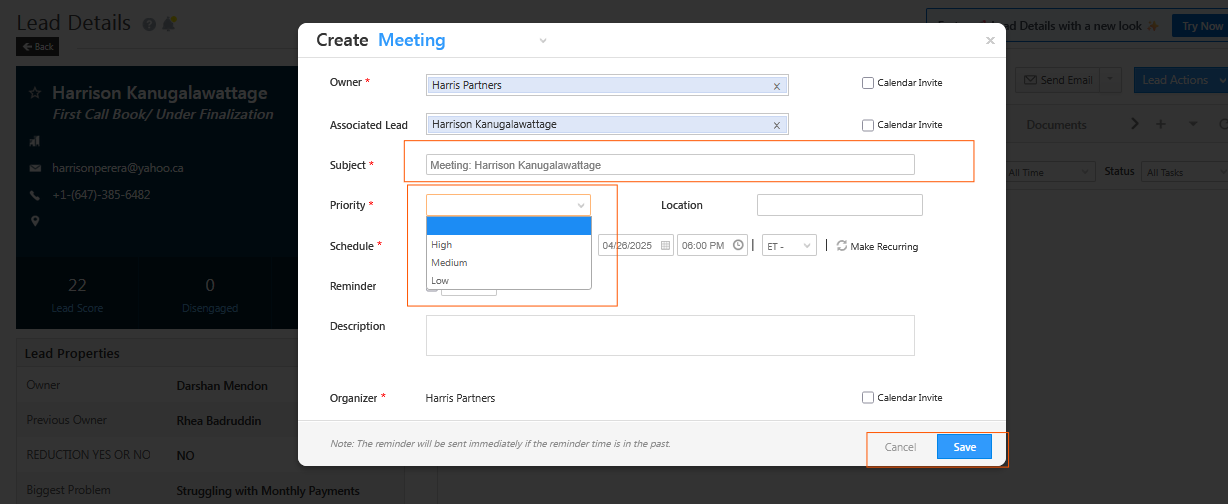
High Priority: For important or active clients requiring urgent follow-up.
Medium Priority: For moderately responsive clients needing regular but not urgent attention.
Low Priority: For non-responsive clients or non-urgent follow-ups
3. CloudTalk / Turnover
Usage:
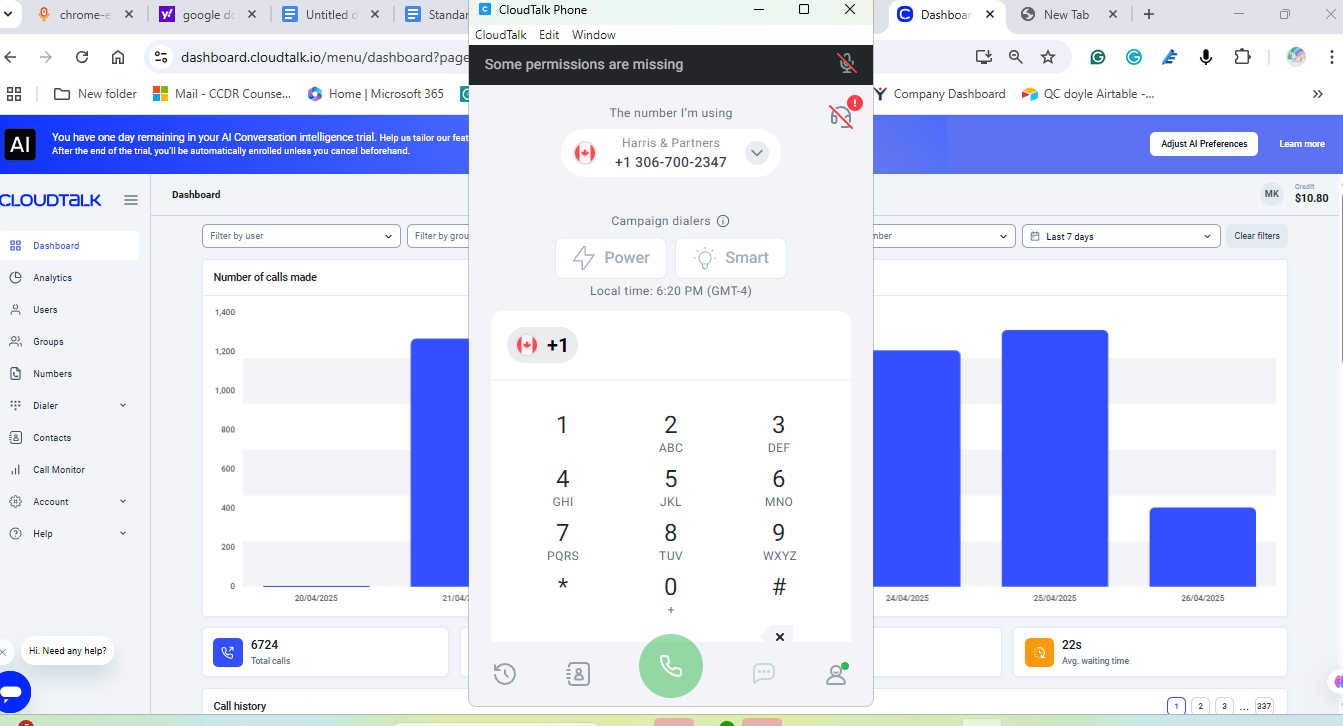
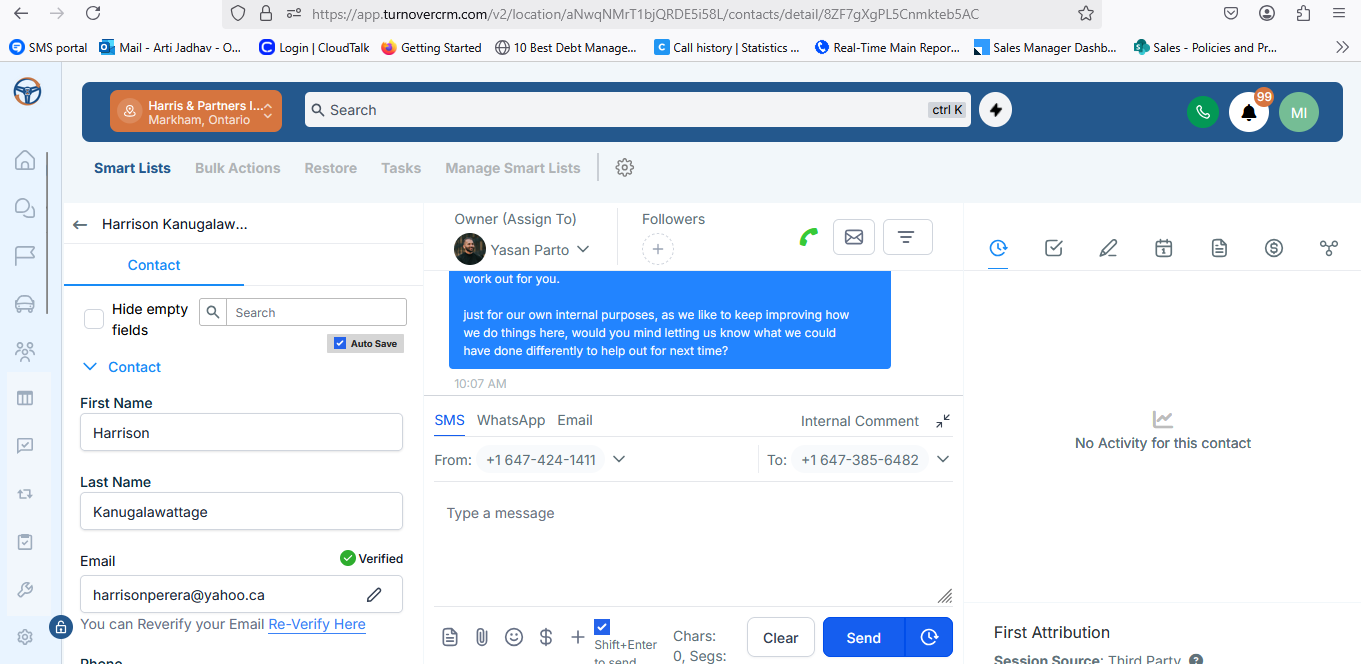
Used for answering inbound calls and dialing outbound calls.
Track number of calls made, missed calls, and attempted calls.
Check agent availability for transfers.
Can be accessed via web versions or installed applications.
Important Actions Required:
Ensure active login during working hours.
Monitor missed call lists and redial where applicable.
Update availability status promptly to assist in transfers.
Team RCS Mumbai (CloudTalk)
Team Canada (Turnover)
Links:
CloudTalk Dashboard
Turnover CRM
Specific Department:
RCS Team Mumbai (CloudTalk)
RCS Team Canada (Turnover)
Notes: Availability updates and prompt answer rates impact transfer success and call quality scores.
4. Outlook (Email Management)
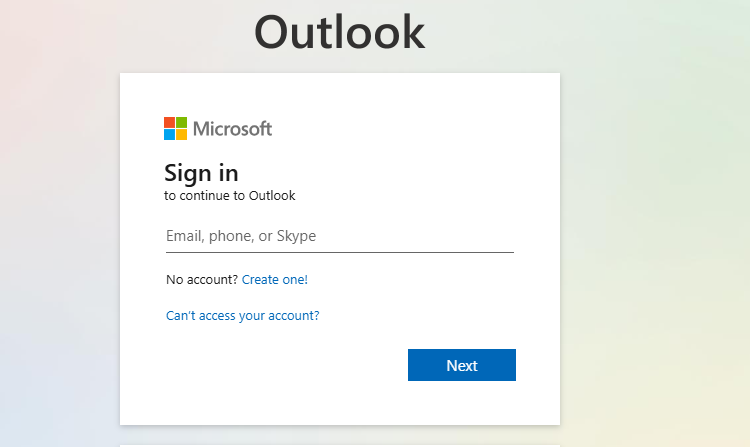
Usage: Professional communication platform for internal and external emails.Two accounts in use:
Outlook with Harris and Partners (HPI) Domain: For communication with HPI clients, trustees, and HPI internal teams.
Outlook with ReflectiveTeam Domain: For communication within RCS team, HR requests, Supervisor communications. Publishing daily progress reports for Mumbai teams internally.
Important Actions Required:
Respond to critical client and trustee emails promptly.
Maintain professionalism in all communications.
Ensure daily reports are submitted timely.
Used By: Entire Organization (All Teams)
Link: Outlook Login
Specific Department:All departments — with domain-specific use for HPI and RCS teams.
Notes: Always use the correct domain email depending on the nature of communication to avoid any client or internal confusion.
5. Ariza advize (Internal CRM for Canada Team)
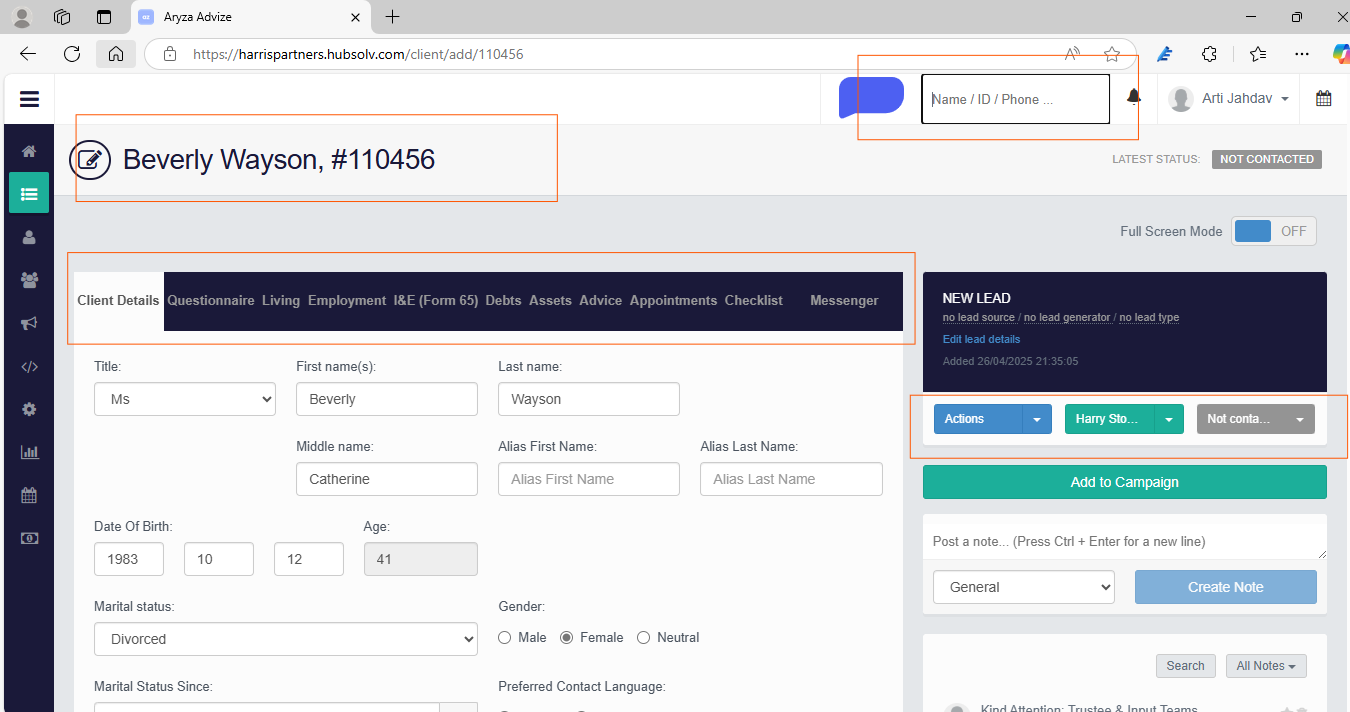
Usage:
Acts as a CRM for finalizers and input teams.
Enter all mandatory proposal application information.
Verify, re-verify, and input client information received from counselors.
Probe for missing or unclear information as necessary.
Important Actions Required:
Finalizers must ensure 100% accuracy when entering data.
Missing information must be promptly requested from counselors.
After completing verification, change the file stage to “Refer to Manager” in Ariza.
Once referred, the file is parsed and assigned to an inputter for Insolve entry and final documentation (FastDocs).
Used By: Backend Finalizer Team (Canada) &Input Team (Canada)
Link: Ariza Login
Specific Department: Team Canada (Backend Finalizers and Inputers)
Notes: Accuracy and completeness at this stage are critical for client signing during trustee meetings.